
Feed
Optimization
The
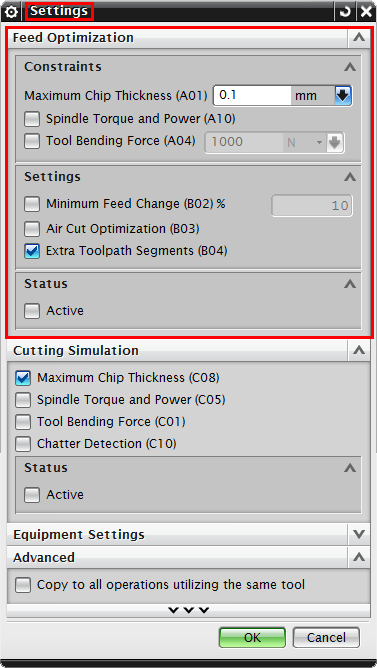
Feed Optimization dialogue is where the user sets physical constraints to the
operation.
| Ø |
Maximum Chip
Thickness (A01):
Enter the upper
limit for the chip thickness during
machining |
| Ø |
Spindle
Torque & Power (A10):
Uses the
Torque/Power limits of the selected machine for
simulation/optimization. If selected, the new toolpath will not violate
the machine's limits. |
| Ø |
Tool Bending
Force (A04):
Enter the limit of
the tool bending force, feeds will be adjusted with the tool bending limit
in mind. |
| Ø |
Minimum Feed
Change % (B02):
Enter a minimum
limit on the feed change from the original
toolpath. |
| Ø |
Air Cut
Optimization (B03):
Also optimizes air
movements based on machine limits. |
| Ø |
Extra
Toolpath Segments (B04):
Splits/adds
toolpath segments to acheive best optimization
results. |
| Ø |
Status:
Activates/Deactivates Feed
Optimization. |
Copyright ©
2015 Manufacturing Automation Laboratories
Inc.


